Setup Auto Print Fail E-mail
Steps:
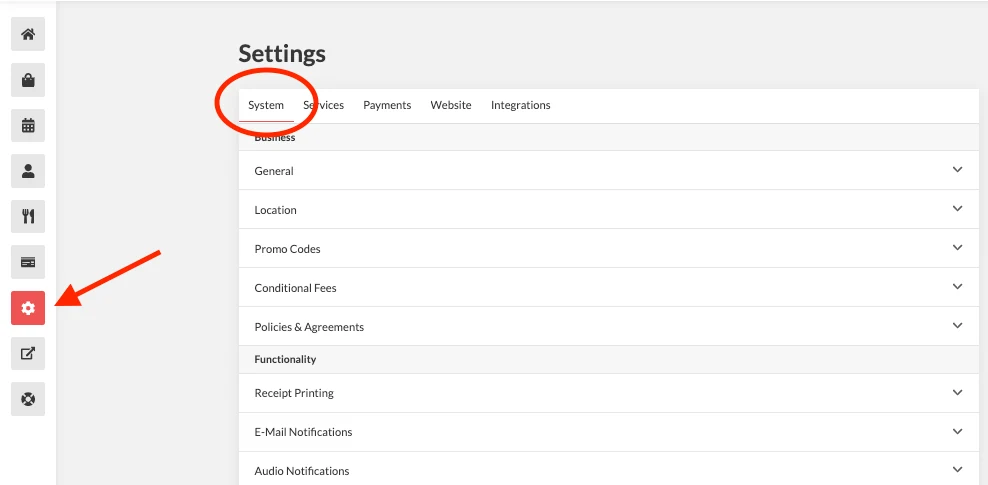
- Log in to your account https://admin.localforyoucarts.com/login
- Go to Settings > System
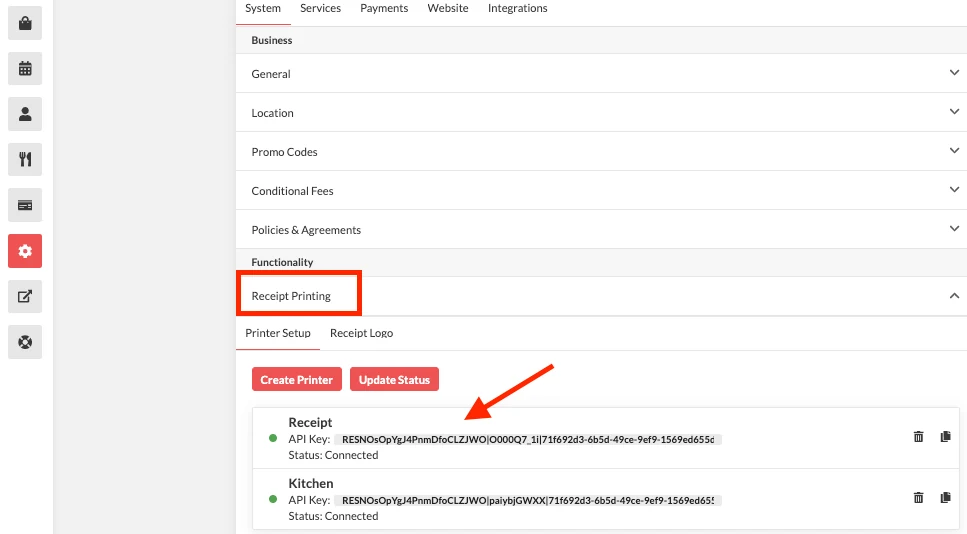
- Click Receipt Printing, then select the printer
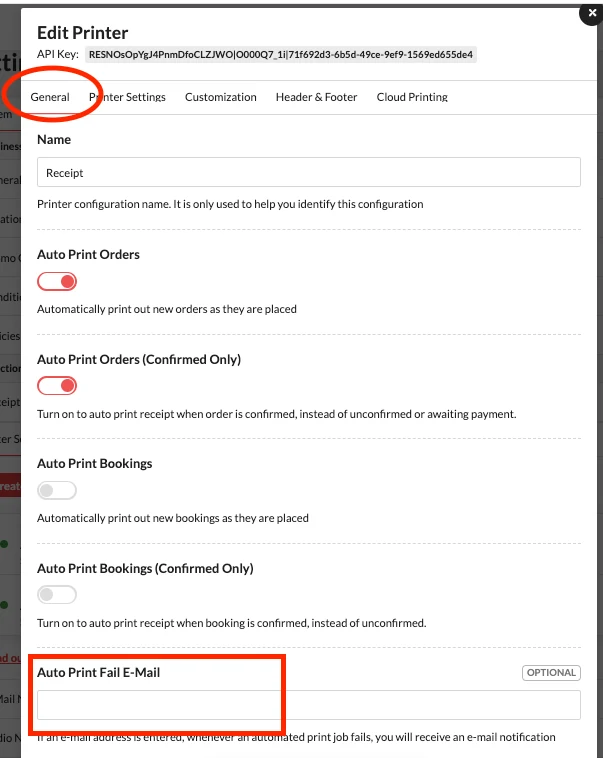
- Under General, go to Auto Print Fail - Email
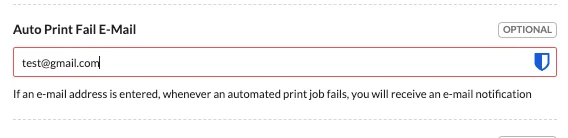
- Enter your e-mail, then save
 Documentation